
RingCentral
RingCentralBusiness
4.82.53K Reviews
- Version
- 26.3.10.480649
- Installs
- 1.00M
- Age Rating
- Everyone
Screenshots

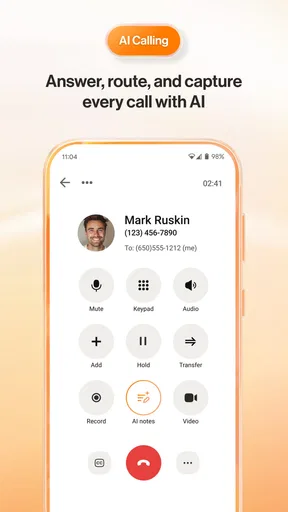
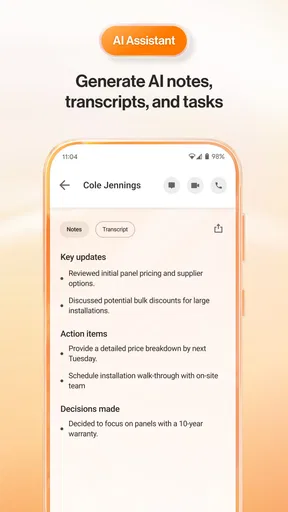
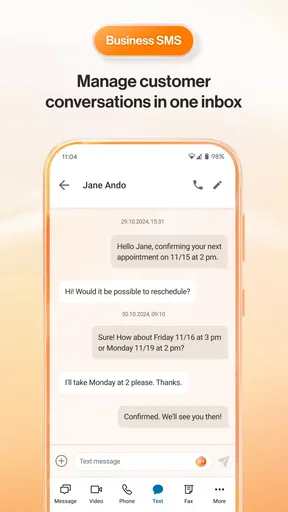
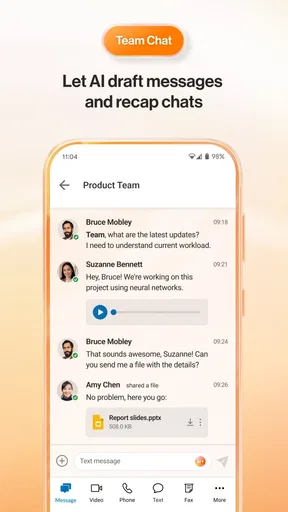
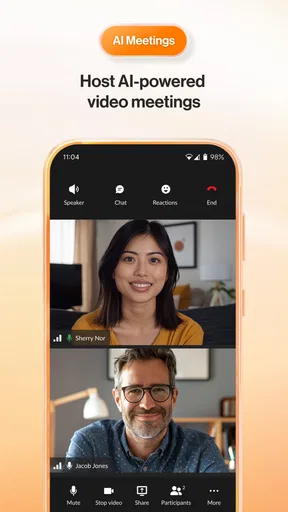
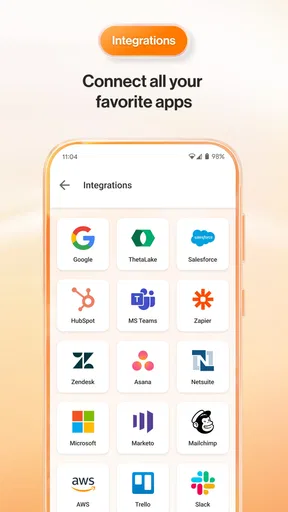
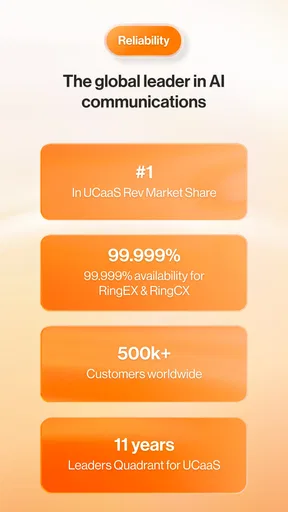
Our Review of RingCentral
 Analysis by Appyee
Work communication becomes frustrating when messages, meetings, calls, and follow-ups are scattered across different tools. I have often lost time switching between a chat app, a meeting service, email, and a separate phone system just to answer one simple question. RingCentral is designed to bring those conversations into one business-focused workspace, and that is the problem I noticed it addressing most clearly. It is a free app in the Business category from RingCentral, with an average rating of 4.8 from around 34 thousand ratings and more than a million installs.
That popularity does not automatically make it the right choice for every team, but it does suggest that the app has become a familiar option for people who need work communication on a phone. After spending time with it, my view is that its value comes less from any single communication feature and more from reducing the number of places I need to check. When the setup matches the way a team already works, that reduction in switching can make the day feel noticeably calmer.
Why RingCentral is useful when work conversations are spread everywhere
The recurring issue is not usually a lack of communication tools. Most teams already have too many. The real problem is deciding where a conversation belongs, remembering which service contains a file or decision, and checking several apps before replying. A phone-based business communication app can help, but only if it makes those actions easy rather than adding another inbox to monitor.
RingCentral approaches this as an all-in-one communications platform, rather than as a simple chat client. In practical terms, I see it as most useful for teams that need a common place for workplace conversations and want access from a mobile device as well as from their usual work setup. It is especially relevant when employees move between desks, meeting rooms, home offices, and customer-facing situations.
The strongest benefit is continuity. I can begin by checking a work conversation, move into a meeting-related task, and return to messages without treating each activity as a separate routine. That sounds small, but repeated context switching is where a surprising amount of time disappears. The app is at its best when the team agrees to use it consistently instead of keeping important decisions in several unrelated services.
There is also a practical advantage for people who are not tied to a desk. A manager checking in while commuting, a sales employee preparing for a customer call, or a remote worker handling a quick question can use the same business communication environment instead of waiting until they reach a computer. I would not describe the experience as a replacement for every workplace tool, but it can make the mobile part of a communication system feel less like an afterthought.
Setting it up for the first useful result
The first useful setup is not simply installing the app and opening every available area. I recommend starting with the conversations that matter most during a normal day. Join or organize the relevant work spaces, identify the people or groups that require quick access, and decide which types of information should stay in shared conversations rather than private messages.
This distinction matters because an all-in-one app can still become disorganized if every question is sent to everyone. I found it more effective to use focused conversations for decisions, direct messages for individual matters, and meeting-related communication where the wider group can find it later. That small discipline makes search and follow-up much easier than relying on memory.
Another useful habit is to configure the app around attention rather than maximum activity. Business communication can become noisy when every message produces an interruption. I would keep alerts for direct requests and urgent team discussions, while checking less important conversations at planned moments. The goal is not to make the phone react to every update; it is to make the important updates harder to miss.
The app is free to download, and its content rating is Everyone, which makes it approachable for a broad workplace audience. The current version is 26.3.10.480649, and it requires Android 8.0 or later. Those details are worth checking before asking an older company phone to run it, particularly if the device is still being kept on an earlier operating system for security or compatibility reasons.
RingCentral has been available since March 5, 2014, and the developer is RingCentral. That longer presence gives the product a more established feel than a brand-new workplace utility, although the age of a platform does not remove the need to test its current workflow with your own team. I would begin with a small group and a real communication routine rather than rolling it out everywhere based only on its store rating.
Everyday situations where the app saves time
A realistic example is a team member who starts the morning away from a desk. Instead of opening several services to see whether a meeting changed, whether a colleague replied, and whether a customer-related question needs attention, the person can begin in one business communication app. The time saved is not necessarily dramatic in one session, but the repeated reduction in app switching is exactly where RingCentral earns its place.
For a manager, the useful workflow is quick coordination. A question that would otherwise become a chain of emails can be handled in a focused conversation, while a broader decision can remain visible to the group that needs it. I like this approach because it keeps small operational questions from becoming formal meetings, but it also requires people to write clear messages. No communication app can rescue a vague request or a decision buried in an enormous thread.
Remote teams may appreciate the mobile access most. When someone is away from a laptop, they can stay connected to work conversations without pretending that a personal messaging service is an adequate business record. This is a meaningful distinction for teams that need a clearer boundary between private communication and work communication.
Customer-facing employees have a different reason to use it. Their day may involve moving between internal coordination and external commitments, so having a business communication hub on the phone can reduce the delay between a customer interaction and an internal update. I would still be careful about sending sensitive information from a phone in a public setting, but the mobile-first convenience is valuable when used thoughtfully.
Small businesses can also benefit when they do not want to assemble several separate services and teach staff how each one works. RingCentral gives them a recognizable central point for communication. The trade-off is that an all-in-one approach may offer more structure than a very small team needs. If two people only exchange occasional messages, a lighter tool may feel faster and less formal.
Small workflow choices that make a noticeable difference
One of my more useful observations is that the app should be treated as a place for decisions, not merely as a stream of interruptions. When a conversation produces an action, I would make the next step explicit in the message and keep the relevant context nearby. This reduces the need to reconstruct what happened later, especially when several people are working at different times.
A second tip is to separate urgent communication from merely active communication. A busy group can create the impression that everything needs an immediate response. By reserving direct requests for matters that genuinely need a person’s attention and keeping broader updates in shared spaces, I found it easier to protect concentration without becoming unreachable.
A third trade-off concerns mobile convenience. The phone makes it easy to respond quickly, but quick replies are not always good replies. For short confirmations, the app is convenient. For complicated explanations, sensitive decisions, or messages involving several details, I would wait until I have a proper keyboard and enough time to review the wording. The best use of RingCentral is not answering everything instantly; it is choosing the right moment and channel without losing the conversation.
There is also a useful onboarding lesson for teams. Before inviting everyone, define what belongs in the platform and what should remain in another system. Without that agreement, employees may duplicate announcements, forward the same information into multiple places, or assume that a message in one area is visible everywhere. The app can reduce fragmentation, but only when the organization avoids recreating fragmentation inside it.
Where it feels better than familiar alternatives
Compared with ordinary email, RingCentral feels more suitable for quick back-and-forth coordination. Email remains better when I need a formal record, a carefully prepared message, or communication with people who are not part of the same workplace system. For internal questions that need a short answer, however, a focused conversation is usually less cumbersome than a growing email chain.
Compared with a basic messaging app, it has a clearer business purpose. Personal chat tools may feel faster at first, but they can blur work and private life, complicate team organization, and make it harder to establish a consistent communication routine. RingCentral is more appropriate when the company wants a shared professional environment rather than an informal group chat.
Compared with using separate services for meetings, messaging, and phone-related communication, the main advantage is reduced switching. That does not mean every specialist tool becomes unnecessary. A team with advanced requirements in one particular area may prefer a dedicated service for that task. My recommendation is to judge RingCentral by the number of handoffs it removes from your normal day, not by whether it replaces every tool in your technology stack.
The AI positioning in the store summary may appeal to teams interested in newer ways of handling communication, but I would avoid choosing the app purely because of that label. The practical question is whether the communication workflow becomes clearer and faster for the people using it. A feature sounds useful only when it reduces a real task, such as finding context, preparing for a conversation, or keeping follow-up visible.
Where the experience can become frustrating
The biggest limitation is the same quality that makes the app attractive: bringing several communication activities together can create a lot of information in one place. If a team has poor notification habits or no agreement about where conversations belong, the app may feel busy rather than simplifying work. In that situation, the problem is not solved by adding more channels or inviting more people.
Mobile communication also has natural limits. Reading a long discussion on a phone is less comfortable than reviewing it on a larger screen, and writing detailed responses with a small keyboard can slow me down. I would not choose a phone as the only way to manage a communication-heavy role. The mobile app is most valuable as an extension of the workday, not as a reason to abandon a better desktop workflow.
Teams should also consider adoption friction. If some employees continue using email, others use personal messaging, and only a few people check RingCentral, the organization ends up with another place to search. A successful rollout needs a clear reason for using it and a simple rule about where important conversations should happen. Without that, even a well-designed app can become optional background noise.
Another reason to skip it is scale of need. If you only want a very simple way to exchange occasional messages, the broader platform may feel like more than necessary. Likewise, if your company already has a deeply established communication system that everyone uses reliably, changing tools may cost more time than it saves. The benefit is strongest for teams currently losing time between disconnected services.
My verdict for different kinds of users
After using it as a business communication app, I see RingCentral as a sensible choice for distributed teams, mobile workers, managers coordinating several people, and businesses that want fewer communication handoffs. Its average rating of 4.8 and more than two thousand reviews show strong user approval, while the free price lowers the barrier to trying it. I would still test it with real work conversations before treating it as the central system for an entire organization.
For a friend asking whether to install it, my answer would be yes if your workday involves frequent switching between messages, meetings, and team coordination. Start with the conversations you actually need, control alerts from the beginning, and create a shared rule for where decisions belong. Those choices will determine whether the app saves time or simply gives your existing communication clutter a new home.
I would recommend skipping it when your needs are limited to occasional chat, when your team already has a reliable platform that nobody struggles to use, or when you require a highly specialized tool that a broad communications hub cannot replace. For everyone else, the appeal is straightforward: less time spent hunting through separate apps and more time spent acting on the conversation in front of you.
My final impression is positive but practical. RingCentral is not valuable because one app magically removes every workplace problem. It is valuable when it gives a team a consistent place to communicate and makes mobile access part of the normal workflow. Used with sensible notification rules and clear team habits, it can remove small delays that repeat throughout the day. That is a modest promise, but in my experience it is the kind of improvement people actually notice.
Verdict
Strengths of RingCentral
- Reliable HD voice and video calls for work and remote teams.
- Combines messaging, meetings, phone calls, and contacts in one app.
- Supports screen sharing and useful collaboration features during meetings.
- Works across Android, iOS, desktop, and web for flexible access.
- Business-grade controls help administrators manage users and permissions.
Limitations of RingCentral
- Many advanced features require a paid RingCentral subscription.
- The interface can feel overwhelming for occasional or first-time users.
- Call quality depends heavily on network strength and device performance.
- Some features may be unavailable under certain company account plans.
- Frequent notifications can become distracting without careful settings.
Similar Picks in This Category
View All
LinkedIn: Community & Network
LinkedIn3.8

Zoom Workplace
zoom.com4.1

Microsoft Teams
Microsoft Corporation4.6

Meta Business Suite
Meta Platforms, Inc.4.6

Webex Meetings
Cisco Systems, Inc.4.5

TeamViewer Remote Control
TeamViewer4.4
Frequently Asked Questions
What is RingCentral used for?
RingCentral is a cloud-based communications app that brings business calling, team messaging, video meetings, and collaboration tools into one platform. After signing in, users can make and receive calls, participate in chats, join meetings, share files, and manage contacts from a phone or computer. It is mainly designed for companies, remote teams, and organizations rather than casual personal communication.
Can I use RingCentral on Android and iPhone?
Yes. RingCentral provides mobile applications for both Android and iOS, allowing users to stay connected while away from their desk. The mobile experience generally includes calling, messaging, meetings, notifications, contacts, and presence features, depending on the account and subscription. Some advanced administration or configuration options may still require the web or desktop version.
Is RingCentral free to download and use?
The RingCentral app can usually be downloaded without paying an upfront installation fee, but most of its business communication features require an active RingCentral account and a paid service plan. Availability depends on the organization’s subscription, region, and administrator settings. Users should check the current pricing and trial terms before assuming that every feature is free.
Does RingCentral require an internet connection?
RingCentral is primarily an internet-based service, so a reliable Wi-Fi or mobile data connection is important for calls, video meetings, messaging, and file sharing. Performance can be affected by weak signal strength, network congestion, or restrictive workplace firewalls. Depending on the account and setup, certain calling options may use cellular services, but the app is best experienced with a stable connection.
Is RingCentral secure for business communication?
RingCentral includes business-oriented security, privacy, and administration features, such as account controls, authentication options, encryption practices, permissions, and centralized management tools. However, the actual level of protection depends on the company’s configuration, user behavior, and subscription plan. Before using it for sensitive conversations or files, organizations should review current security documentation and apply strong passwords and multi-factor authentication where available.
